👾 Overview
Proxies and port forwards allow you to access resources across networks that might otherwise be inaccessible, enabling you to pivot through networks. These are commonly used once compromising a host with access to an additional network or locally running service. Although most C2 frameworks support proxies and pivots to enable lateral movement, tools like SSH and chisel can provide additional options.
SOCKS is a commonly used proxy protocol. It generally runs on port 1080 and allows clients to forward traffic through a server. SOCKS5 supports authentication.
Port forwarding is another common technique to access remote resources. There are two main kinds of port forwards: local, and remote.
- Local: forwards traffic from your local machine to a remote service. Used to access remote services from your local machine.
- Remote: forwards traffic from a remote server to your local machine. Used to expose local services to remote networks.
Using Proxychains
You can use proxychains to tunnel network traffic for most command line tools through an already established proxy, allowing you to run local tooling on a remote network.
First, configure /etc/proxychains[4].conf with your proxy information, at the end of the file you can define proxy servers:
# Format:
[protocol] [ip] [port] [username] [password]

# Common config:
socks5 127.0.0.1 1080
Once configured, you can proxy traffic by prepending your standard tool call with proxychains[4]:
proxychains4 firefox

proxychains nxc smb 10.1.78.3
SSH
You can use SSH to start a SOCKS proxy to a remote host, or forward ports. This is a great option since it allows you to live off the land without installing additional tooling.
SOCKS proxy:
# Starts a SOCKS proxy on the local port 1080 to the remote host
# -N doesn't execute a command; just hangs and starts the proxy
ssh -D 1080 -N [user]@[host]
Port Forwarding:
# Local Port Forwarding
ssh -L [local port]:[host]:[remote port] [user]@[host]

# Example: Access a remote SQL database on localhost
ssh -L 3306:localhost:3306 [user]@[host]


# Remote Port Forwarding
ssh -R [remote port]:[host]:[local port] [user]@[host]

# Example: Expose your local BloodHound on a remote port 8001
ssh -R 8001:localhost:8000 [user]@[host]
Ligolo-ng
Ligolo-ng is the absolute goated proxy method. Instead of setting up a SOCKS proxy, it stands up a dedicated interface on your host with autorouting to the target network. This allows you to access resources on the target network and run tools like nmap without proxychains, making things like scanning and enumeration significantly faster.
TLDR: Run the server on your host, run the agent on your target, add a new interface, configure routing, start tunnelling.
The GUI makes this pretty straightforward; read the docs.
You can also do things with the CLI:
# 1. Start the proxy server on your c2 host
./proxy -selfcert

# 2. Start the agent on your target
./agent -connect [host]:11601

# In the CLI:
# Use the session - specify your session
session

# Create a new interface
interface_create --name "foo"

# Identify target network
ifconfig

# Add routing
interface_add_route --name foo --route [internal network in CIDR]

# Start tunnelling
tunnel_start --tun foo
Chisel
Chisel is a simple tunnelling tool that can allow you to standup a SOCKS proxy. It requires you to start a server on your C2 server, and run an agent on your target.
# On your server
./chisel server --reverse

# On your target
.\chisel.exe [ip]:8080 R:socks
Proxying Web Traffic
Burp Proxy
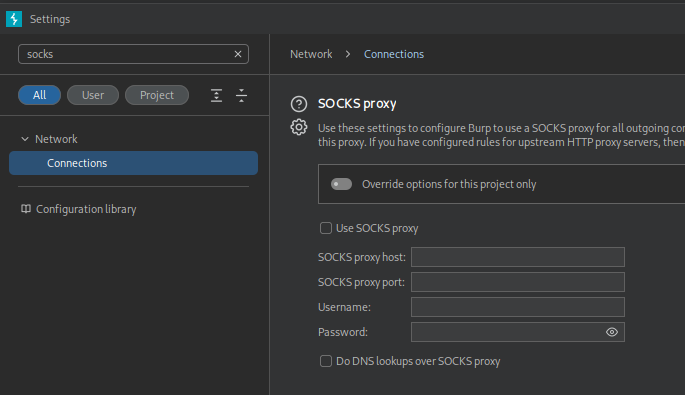
BurpSuite can be configured to use an upstream SOCKS proxy, helpful for testing resources on a remote network. When this option is set, all traffic forwarded through burp will be proxied.
Foxy Proxy
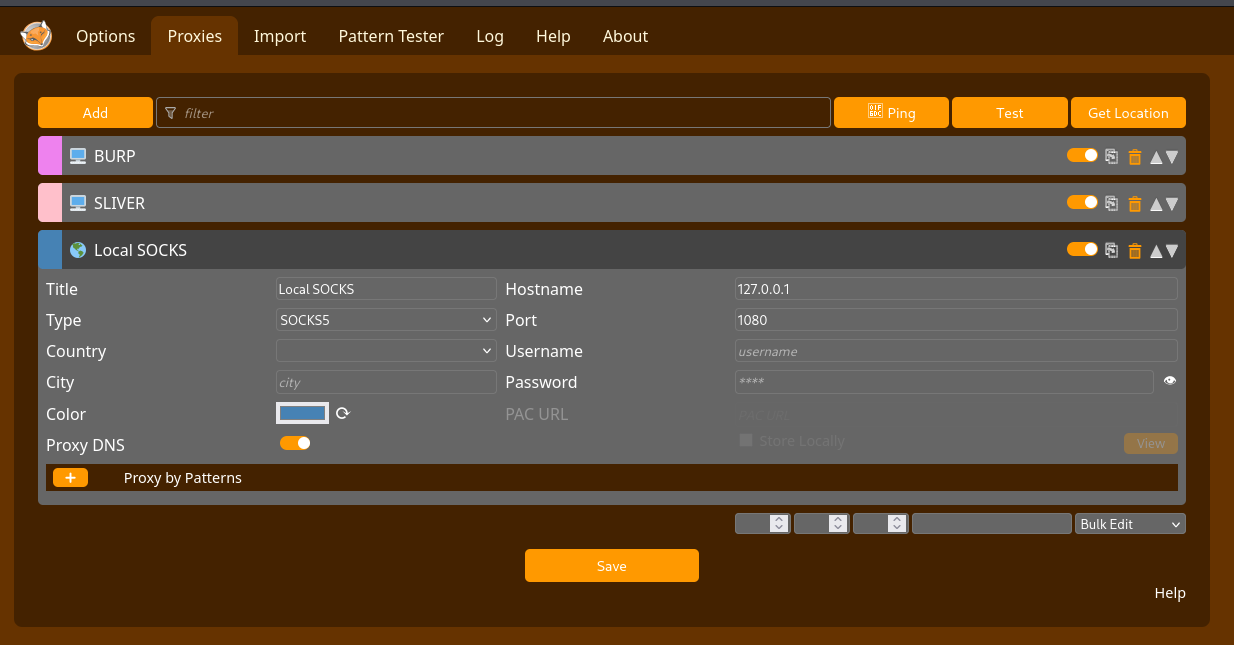
If you need to access remote web resources, foxyproxy can be configured to point at a SOCKS server, allowing you to browse to resources on remote networks without running a browser through proxychains. This can be helpful to proxy specific sites, or just manage things with a simple GUI.
📝 Resources
| 🔗 Hyperlink | ℹ️ Info |
|---|---|
| Chisel GitHub | Chisel proxy tool |
| Ligolo-ng GitHub | Ligolo-ng proxy tool |
| FoxyProxy | Browser proxy tool |